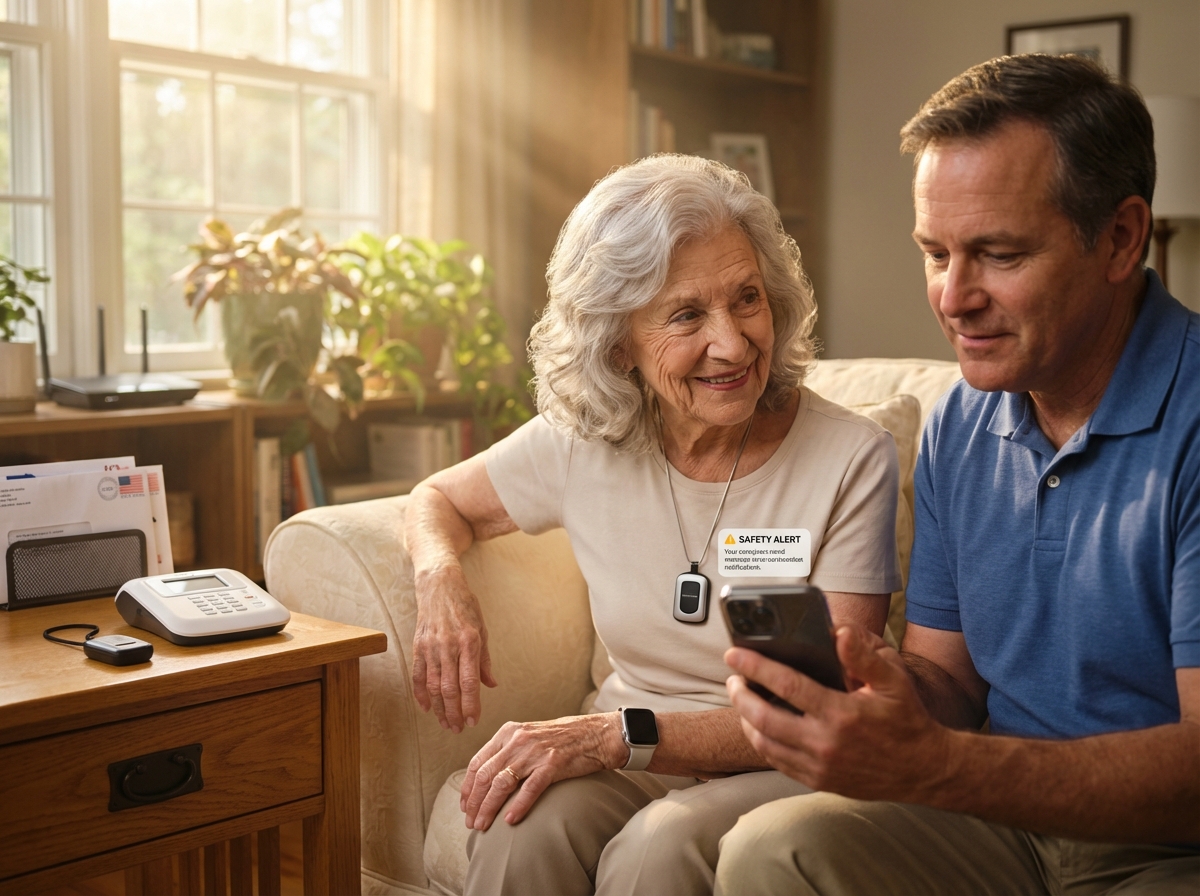
Choosing the right medical alert system can protect an aging loved one and reduce relentless caregiver stress. This late 2025 review evaluates top devices and services, pairing technical guidance with practical burnout‑prevention strategies for family caregivers. Learn how the right system, setup, and self‑care routines can preserve safety, dignity, and caregiver wellbeing.
Why medical alert systems matter for seniors and family caregivers
The landscape of eldercare has shifted significantly as we reach the end of 2025. More seniors are choosing to age in place than ever before. While this trend supports independence, it creates a massive responsibility for family caregivers. You might find yourself in a state of constant worry—not just about big emergencies, but about the quiet moments when you are not there. Medical alert systems have become the cornerstone of modern care, bridging the gap between independence for the senior and peace of mind for the family.
The mental load of caregiving is often heavier than the physical tasks. You spend your day thinking about potential accidents: Did your parent fall in the kitchen? Did they take their medication? This state of high alert leads to chronic stress, causing you to withdraw from your own life, skip the gym, or cancel plans with friends. You feel you must be available every second. A medical alert system changes this dynamic by acting as a silent partner that monitors the situation when you cannot.
Common Emergency Scenarios in 2025
Falls and Physical Injuries
Falls remain the primary concern for seniors living alone. A fall can happen in a second, often in the bathroom or during the night. Without a way to call for help, a senior might lie on the floor for hours, leading to physical complications and deep psychological trauma. Medical alert systems with fall detection identify these events automatically, not requiring the senior to press a button. This is vital if they are unconscious or confused.
Medical Events and Sudden Illness
Medical events like strokes or heart issues require immediate action where every second counts. Modern systems in 2025 are faster than ever, with some devices boasting response times under 15 seconds. You can find detailed comparisons of these speeds at Best Medical Alert Systems of 2025 – SeniorLiving.org. Professional operators can dispatch help while staying on the line with your loved one.
Wandering and Memory Issues
Wandering is a major issue for those with cognitive decline. GPS-enabled pendants allow you to find a loved one quickly, preventing the panic of a missing person report. You can set up geofencing alerts that notify you if the senior leaves a safe area. This technology allows seniors with early-stage dementia to stay home longer safely.
The Critical Difference of Professional Monitoring
It is important to understand the difference between monitored and unmonitored devices. An unmonitored device typically dials a list of personal contacts, such as family or neighbors. This sounds fine until you realize you might be in a meeting, sleeping, or in a dead zone for cell service. If you miss the call, no one is coming.
In contrast, a monitored system connects to a professional center staffed 24 hours a day. These operators have the senior’s medical history ready, can call local emergency services directly, and stay on the line until help arrives. In 2025, experts overwhelmingly recommend monitored services for seniors living alone. Before choosing, evaluate your own availability to answer emergency calls at any hour. If your schedule is unpredictable, a monitored plan from a provider like Bay Alarm Medical ensures a response regardless of your status.
Reducing Caregiver Burnout and Restoring Balance
Caregiver burnout often starts with poor sleep. You might wake up at every noise or check the monitor multiple times a night. This lack of rest makes it hard to provide good care during the day, making you irritable and prone to mistakes. Using a medical alert system allows you to sleep, knowing that an emergency will trigger a loud alarm or a phone call. You do not have to be the only line of defense.
Social withdrawal is another sign of compassion fatigue. You may feel like a prisoner in your own home, avoiding social events because the risk feels too high. When you have a reliable system in place, you can leave the house with confidence to see a movie or visit a friend. This balance is essential for long-term caregiving, allowing you to maintain your own identity.
In 2025, rising life expectancy and a shortage of professional home health aides mean family members are doing more. Remote care technology has kept up with this demand. You can check an app to see if your parent is moving around the house or if their device is charged. This transparency reduces the need for constant phone calls, making the relationship more about connection and less about checking up.
Features to prioritize in 2025 when choosing a medical alert system
Choosing a medical alert system in late 2025 requires a shift in how we think about senior safety. The market has moved far beyond simple buttons; you now have to navigate a landscape of high-tech sensors, artificial intelligence, and complex cellular networks. The first step is deciding on the hardware format that fits the daily life of your loved one.
Device types for every lifestyle
In-home base units remain a staple for seniors who stay mostly indoors. Modern versions like the Medical Guardian Home 2.0 provide a massive 1,400-foot range from the base station, allowing a senior to move freely through a large house or backyard while staying connected. Mobile GPS pendants are the standard for those who drive or walk in the neighborhood, using cellular signals to provide protection anywhere. We are also seeing a surge in medical alert smartwatches that look like standard fitness trackers. Brands like Medical Guardian offer the MGMove watch, which includes fitness tracking plus emergency response in a stylish frame, removing the stigma of traditional pendants.
Connectivity and network reliability
The transition to 5G is nearly complete by the end of 2025. Ensure any device you choose is LTE or 5G ready, as older 3G or 4G-only devices are obsolete. Dual-band cellular technology is a critical feature, allowing the device to switch between carriers if one signal is weak. This is especially important if the senior lives in a house with thick walls. Additionally, look for Wi-Fi fallback, which uses local networks to pinpoint location when GPS signals fail deep inside buildings.
Action Step: Always verify which network carrier the system uses and check a coverage map for your specific zip code. If you live in a rural area with weak cell signals, a landline system may still be the most stable option. Ask the provider about roaming limits to ensure the button works during road trips or visits to remote cabins.
Advanced fall detection and sensitivity
Fall detection has become much more sophisticated. In 2025, sensors can often distinguish between a hard fall and a senior simply dropping into a favorite armchair. However, no system is 100% accurate; they can miss slow slides or trigger false alarms if a device is dropped. Prioritize devices with adjustable sensitivity settings to fine-tune the device and reduce false alarms, which are a major reason seniors stop wearing their pendants.
Action Step: Check SafeHome.org for 2025 fall detection accuracy tests. If a false alarm occurs, teach the senior to stay calm and speak to the operator to cancel the dispatch.
Battery life, comfort, and water resistance
Battery management is a frequent source of stress. Mobile devices typically require recharging every few days. Look for pendants with a battery life of at least five days to reduce the charging burden. For rechargeable units, magnetic charging cradles are much easier for seniors with arthritis than tiny plug-in cords. Comfort is equally important; a heavy device or scratchy strap will end up on the nightstand.
Action Step: Verify the waterproof rating (IPX7 is standard) to ensure the device can be worn in the shower, where many falls occur. Seniors should wear their buttons 24/7, but note that most are not designed for long submersion in bathtubs or pools.
Caregiver portals and smart integration
The most important features for preventing burnout are caregiver notification options. You want a system that sends push notifications, SMS, and emails simultaneously. A dedicated caregiver portal should allow multi-user access so several family members can monitor the senior, spreading the responsibility. Integration with smartphones and health apps is now standard, with many systems syncing with Apple Health or Google Fit. Smart home integration with Alexa or Google Assistant allows for voice-activated help—a lifesaver if the senior falls and is not wearing their button.
Privacy and pricing structures
Data privacy is a serious concern. Ensure the company follows HIPAA practices and uses encrypted data to protect location history. Regarding cost, monthly monitoring fees generally range from $20 to $60. You should also account for equipment costs and activation fees. Some companies like Medical Alert offer free equipment with annual plans. Check for 2025 updates on 11 Best Medical Alert Systems for Seniors of 2025 – Retirement Living to see which brands have removed long-term contracts.
Action Step: Always ask about VA discounts (such as the Medallion program) or AARP member savings. Read real customer reviews from the last six months to spot recent issues with response times or billing.
Checking these technical details ensures the system actually works when needed and supports you as a caregiver rather than adding another task to your list. You can find more detailed comparisons at 4 Best Medical Alert Systems In 2025 – Family1st GPS Trackers.
How medical alert systems reduce caregiver burnout and practical self care routines
Caregiving is a role that requires immense strength, often leading to burnout—a deep physical and emotional exhaustion. Many family members also experience compassion fatigue, where the constant demands make it hard to feel empathy. These feelings are a signal that you need a change in your routine.
Living as a caregiver often keeps you in a high-alert state, constantly producing stress hormones. This leads to decision fatigue, where making small choices feels impossible. A medical alert system helps lower this internal alarm by acting as a professional safety net. When a senior uses a system from Bay Alarm Medical, you can finally exhale, knowing help is available even if you are not in the room.
Practical strategies for balance
Creating an emergency plan
A written plan is a powerful tool against stress. It should include a list of people who can help in a crisis. Do not be the only contact. Assign specific roles: one person as the primary contact for the monitoring center, another to check the house, and a neighbor as a backup. This delegation ensures the responsibility is shared. Everyone should have a copy of this plan, including medication lists and doctor contacts.
Setting boundaries around care
You must define specific hours for your caregiving duties. Use the features of a medical alert system to support these boundaries. If the senior has a reliable device, you can leave the house for a few hours to recharge. This is not selfish; it is necessary for maintaining your health. Schedule check-ins at set times to prevent caregiving from taking over your entire day.
Using system features to offload tasks
Geofencing for wandering
Wandering creates a constant state of worry. Many systems in 2025 offer geofencing, allowing you to draw a virtual fence around the home on a map. If the senior crosses that line, you get an instant alert. This removes the need to watch the door constantly, giving the senior freedom to move around the yard while you focus on other tasks.
Caregiver app alerts and medication
Modern caregiver apps provide a wealth of information, from battery status to recent movement. Some systems like Medical Guardian include medication reminders programmed for specific times. The device alerts the senior to take their pills, removing the need for you to nag and reducing friction in your relationship. You can also set up automatic alerts to other family members or paid neighbors if you are far away.
Daily self care rituals
Micro breaks and breathing techniques
Self-care does not have to be a long process. Integrate micro-breaks into your schedule: take two minutes for deep breathing to lower your heart rate, or a ten-minute walk to reset your mood. These small rituals are easier to maintain than long gym sessions and provide immediate relief.
Building a support network
Work with healthcare providers to manage your emotional load and look for local respite services that offer temporary care. Join a caregiver support group to share experiences and feel less alone. Set measurable goals for your self-care, such as three short walks a week or one social phone call every Sunday. These goals remind you that your life matters too.
- Local respite care services
- Family caregiver support groups
- National caregiver hotlines
- Healthcare provider consultations
Top 10 medical alert systems in 2025 with strengths and ideal users
Choosing the right medical alert system in late 2025 requires looking beyond the hardware. You need a tool that supports your mental health by providing reliable data and quick responses. I have analyzed the top ten systems available this December to help you find the best fit for your family.
Bay Alarm Medical
Company Overview
This company has provided safety services for over 70 years, known for high customer satisfaction and reliable monitoring centers.
Device Types
They offer in-home bases, mobile GPS buttons, and the SOS All-In-One 2 wearable.
Key Strengths
This is the best overall value for 2025. It features a top-rated caregiver app that tracks GPS location and alert history.
Pricing and Contracts
Monthly monitoring starts at $27.95. Equipment costs vary by device. They offer month-to-month terms with no long-term contracts.
Connectivity
The systems use 4G LTE and 5G networks for fast communication.
Caregiver Features
The app allows you to see the battery status and view the location of the senior in real time.
Recent Updates
The 2025 SOS All-In-One 2 includes improved fall detection sensitivity.
Ideal User
Seniors who want a balance of affordable pricing and robust caregiver tracking.
Medical Guardian
Company Overview
Medical Guardian focuses on high-tech solutions and stylish wearables, leading the industry in innovation.
Device Types
Options include the Home 2.0, the MGMove smartwatch, and the MGMini.
Key Strengths
This system is best for fall detection and speed, with recorded response times as fast as 8 seconds in 2025 testing.
Pricing and Contracts
Monitoring ranges from $29 to $45 per month. There are no activation fees on most plans.
Connectivity
Devices use LTE cellular signals. The Home 2.0 does not require Wi-Fi to function.
Caregiver Features
The MyGuardian app supports multiple users and includes environmental sensors for air quality.
Recent Updates
New watch styles launched in early 2025 offer better battery life.
Ideal User
Active seniors who prefer a modern smartwatch over a traditional pendant.
Philips Lifeline
Company Overview
This brand has served millions of seniors over several decades and is one of the most recognized names in the United States.
Device Types
They provide the HomeSafe and GoSafe 2 systems.
Key Strengths
It is the most trusted brand for simplicity. Fall detection is often included in the base packages.
Pricing and Contracts
Plans cost between $29.95 and $49.95 monthly. There is a $99.95 activation fee.
Connectivity
They offer both landline and cellular options.
Caregiver Features
The system provides basic notifications to a designated contact list.
Recent Updates
The 2025 hardware features a 30-hour battery backup for power outages.
Ideal User
Seniors who want a straightforward system from a household name.
MobileHelp
Company Overview
MobileHelp was one of the first to offer mobile GPS medical alerts and focuses on affordability.
Device Types
They sell in-home units, mobile buttons, and tablet-based systems.
Key Strengths
This is the best budget option, offering two-in-one bundles for couples living together.
Pricing and Contracts
Plans start at $24.95 per month. They do not require long-term contracts.
Connectivity
The devices run on nationwide LTE networks.
Caregiver Features
The MobileHelp Connect portal allows you to track the device location.
Recent Updates
The 2025 bundles include discounted fall detection for the second user.
Ideal User
Couples or roommates who need protection on a budget.
Lively by Best Buy
Company Overview
Owned by Best Buy, Lively integrates medical alerts with consumer electronics.
Device Types
They offer the Jitterbug Flip2, Jitterbug Smart4, and the Lively Wearable2.
Key Strengths
This system has the fastest average response times of 10 to 15 seconds and includes access to doctors and nurses.
Pricing and Contracts
Packages range from $24.99 to $49.99 per month.
Connectivity
Devices are 5G ready and use reliable cellular towers.
Caregiver Features
The Lively Link app sends alerts to family members immediately.
Recent Updates
The 2025 Health and Safety packages now include product replacement.
Ideal User
Active seniors who want a phone that doubles as an alert system.
ADT Health
Company Overview
ADT is a giant in the home security space. Their medical division uses the same professional monitoring centers.
Device Types
They offer Medical Alert Basic, Plus, and On-the-Go.
Key Strengths
They provide a lifetime equipment warranty. The monitoring staff receives specialized training for senior needs.
Pricing and Contracts
Monthly costs are $29.99 to $39.99. There is an $11 monthly equipment fee.
Connectivity
Systems use cellular or landline connections.
Caregiver Features
They do not currently offer a dedicated caregiver app.
Recent Updates
The 2025 hardware is more durable and water-resistant.
Ideal User
Seniors who already use ADT for home security and want a simple add-on.
LifeFone
Company Overview
LifeFone is a family-owned company known for personalized service.
Device Types
They offer at-home systems and the VIPx mobile device.
Key Strengths
This brand offers the best nationwide coverage by using multiple carriers.
Pricing and Contracts
Monthly rates are $24.95 to $45.95. There is a $5 monthly battery fee on some plans.
Connectivity
They use LTE networks with high GPS accuracy.
Caregiver Features
They provide daily check-in calls and medication reminders.
Recent Updates
The 2025 VIPx model has an extended battery life of up to 16 days.
Ideal User
Seniors living in rural areas where cellular signals are weak.
Life Alert
Company Overview
Life Alert is famous for its long history in the industry and focuses on traditional emergency response.
Device Types
They offer a main home unit and a waterproof shower button.
Key Strengths
The brand is very established and uses a three-step response process.
Pricing and Contracts
Costs are higher at $49 to $69 per month. They often require three-year contracts.
Connectivity
The system uses cellular signals.
Caregiver Features
There is minimal app support for caregivers.
Recent Updates
They have maintained their traditional hardware design through 2025.
Ideal User
Seniors who want a very simple system and do not mind long contracts.
Medical Alert (by Connect America)
Company Overview
Connect America provides connected health solutions, with “Medical Alert” serving as their primary consumer brand.
Device Types
They offer standard pendants and mobile units.
Key Strengths
They integrate well with home health agencies and offer competitive pricing.
Pricing and Contracts
Pricing is highly competitive, often starting around $19.95 to $22.95 depending on the plan.
Connectivity
Devices use LTE cellular technology.
Caregiver Features
A web portal allows family members to monitor activity levels.
Recent Updates
The 2025 AI fall detection reduces false alarms significantly.
Ideal User
Seniors looking for maximum savings or those already receiving professional home health services.
LifeWatch
Company Overview
LifeWatch provides straightforward monitoring for seniors.
Device Types
They offer basic pendants and wristbands.
Key Strengths
The system is easy to set up and focuses on core emergency functions.
Pricing and Contracts
Monthly fees are in the mid-range for the industry.
Connectivity
The units use cellular networks.
Caregiver Features
It sends automated alerts to a list of emergency contacts.
Recent Updates
The 2025 models feature improved speaker clarity.
Ideal User
Seniors looking for a no-frills backup system for their home.
Before you choose, verify the current service rates on the manufacturer websites. Check for any recent safety recalls or changes to privacy practices. You can find more details in this guide to the Best Medical Alert Systems of 2025 – SeniorLiving.org.
| System | Best Use Case | Key Strength | Ballpark Annual Cost |
|---|---|---|---|
| Bay Alarm Medical | Caregiver Tracking | Top-Rated App | $336 |
| Medical Guardian | High-Tech Seniors | Fast Response | $348 – $540 |
| ADT Health | Home Security Fans | Lifetime Warranty | $360 – $480 |
| MobileHelp | Couples on Budget | Two-in-One Plans | $300 |
| Lively | Active Seniors | Urgent Care Access | $300 – $600 |
| Philips Lifeline | Traditional Use | Brand Trust | $360 – $600 |
| LifeFone | Rural Areas | Nationwide Signal | $300 – $550 |
| Medical Alert | Maximum Savings | Low Monthly Fee | $240 |
| Life Alert | Simple Tech | Established Name | $588 – $828 |
| Connect America | Home Health Users | Agency Integration | Varies |
Choosing, setting up, and integrating a system while protecting caregiver wellbeing
Choosing a medical alert system requires a deep look at the physical environment and the daily habits of the person using it. Start by evaluating the layout of the home. If the house has multiple floors or a large yard, a system with a wide range (up to 1,400 feet) is necessary. For rural users, verify which carrier provides the strongest LTE or 5G coverage in that specific zip code. Urban users might prioritize GPS accuracy for busy streets. Medical risks like a history of fainting make automatic fall detection a mandatory feature.
Caregiver Liability and Legal Considerations
It is vital to remember that medical alert systems are tools to support your caregiving, not replacements for your legal or moral responsibilities. They provide a safety net but are not a guarantee of total safety. Using a system demonstrates proactive care, but it does not mean you can stop regular check-ins. Most companies have clear terms limiting their liability for equipment malfunctions. Update your family care agreement to include the use of the alert system and clearly define who responds when the system triggers.
Installation and Onboarding
Once the equipment arrives, the setup process should involve the senior directly. Run practice drills to ensure they feel comfortable pressing the button, treating these tests as routine checks to reduce anxiety. Test the device from the furthest corners of the property to confirm the signal reaches the monitoring center. Ensure the user understands the difference between a test call and a real emergency.
Subscription Management and Moving
Many seniors move between their own homes and assisted living. Most modern systems are easy to relocate; you simply unplug the base station and plug it in at the new location. However, cancellation policies can be tricky. Some companies require you to return the equipment before they stop billing. To avoid issues, choose a provider with a month-to-month contract and keep the original packaging for easy returns. Always call the company to confirm the 2025 cancellation procedure before sending the device back.
Setting Notification Escalation
Setting the notification escalation is critical for your mental health. Decide who the monitoring center contacts first. You might want the center to call you for non-emergencies but call 911 immediately if a fall is detected. Using a caregiver app, such as the one provided by Bay Alarm Medical, allows you to share this burden by adding siblings or neighbors to the alert list.
Maintenance and Integration
Maintenance must become a part of your digital calendar. Schedule regular device tests and battery checks every month. While most systems in 2025 send low battery alerts to your phone, you still need to verify the physical condition of the wearable straps. Integrate the alert system with other care strategies, such as automated medication dispensers or telehealth schedules. If making home modifications, place the base station in a central area where the two-way speaker is easiest to hear.
| Onboarding Step | Action Item | Caregiver Benefit |
|---|---|---|
| App Installation | Download the app on all family phones | Shared responsibility |
| Profile Setup | Enter medical history and lockbox codes | Faster emergency response |
| Alert Settings | Define who gets the first text or call | Reduced personal alarm fatigue |
| Location Sharing | Enable GPS tracking for mobile units | Peace of mind during outings |
| Test Schedule | Set a monthly reminder for a system check | Confidence in the technology |
You should track your own stress signals. Constant irritability or a change in sleep patterns often indicates the start of burnout. If you feel overwhelmed despite having a system in place, seek professional support. A social worker or a mental health counselor can help you navigate the transition to higher levels of care. These systems are tools to help you, not a replacement for your own health and balance.
Conclusion and next steps for caregivers
Selecting a medical alert system is a significant step toward reclaiming your personal time. It is not just a tool for the senior; it is a tool for you. You cannot provide high-quality care if you are constantly on edge. We have reviewed the top options for 2025: Bay Alarm Medical remains a top choice for its balance of price and caregiver app features, while Medical Guardian offers advanced technology for those prioritizing speed. These systems provide a safety net that works without your constant supervision, allowing you to sleep better and run errands without guilt.
The dual goal is simple: choose a reliable system with the right features for your specific situation, and build caregiver routines that prevent burnout. A button on a neck pendant does not solve everything; it is one part of a larger plan to keep you healthy. If you are exhausted, the risk of mistakes increases. Using technology to share the burden of monitoring is a necessary move for long-term sustainability.
Take these steps to move forward:
Assess specific needs
Determine if your loved one needs a landline system or a mobile GPS unit. Consider if fall detection is necessary based on their history. Match the device to their lifestyle—do not buy features they will never use.
Compare top devices
Look at the 2025 rankings. Bay Alarm Medical is often the best value, Medical Guardian leads in technology, and MobileHelp is excellent for couples. Check the Best Medical Alert Systems of 2025 – SeniorLiving.org for detailed comparisons of monthly costs and equipment fees.
Trial or demo devices
Many companies offer a thirty-day trial period. Use this time to see if the senior actually wears the device and to check signal strength in every room. If the senior finds it uncomfortable, it will end up in a drawer, helping no one. Testing in real conditions is the only way to be sure.
Set up escalation and backup roles
Do not be the only person on the call list. Set up a sequence where the monitoring center calls you first, then a neighbor, then another family member. This prevents you from being the sole responder for every minor issue and distributes the emotional weight of the “what if” scenarios.
Schedule regular resets and practice drills
Test the system once a month. Have the senior press the button and talk to the operator. This reduces anxiety about using it in a real emergency and ensures the battery and base station are working correctly.
Commit to two caregiver self-care practices weekly
This is non-negotiable. Schedule time for yourself—a twenty-minute walk alone, a hobby, or a phone call with a friend where you do not talk about caregiving. Treat these moments as seriously as a doctor appointment to protect your own health.
The landscape of 2025 shows that response times are getting faster, with some systems responding in under fifteen seconds. However, the technology is only as good as the person wearing it. Encourage your loved one to see the device as a symbol of independence, not weakness. It is the reason they can stay in their own home longer.
You are doing a difficult job. Prioritize the safety of the senior and your own long-term health; one cannot exist without the other. Before you make a final purchase, verify the current 2025 pricing, check coverage maps for your area, and look for recent product updates. Stay informed, stay balanced, and use these tools to make this arrangement work for both of you.
Sources
- Best Medical Alert Systems of 2025 – SeniorLiving.org — Bay Alarm Medical, Medical Guardian, ADT, MobileHelp, and Lively are the best medical alert systems of 2025, based on extensive expert testing and review.
- 11 Best Medical Alert Systems for Seniors of 2025 – Retirement Living — Our top picks include Medical Guardian, Personal Living Alert, ADT Medical Alert, and the companies listed below. We bought and tested these …
- Best Medical Alert Systems of 2025 – SafeHome.org — Bay Alarm Medical tops the list for best overall medical alert systems, Medical Guardian excels in fall detection, and ADT offers outstanding security …
- 4 Best Medical Alert Systems In 2025 – Family1st GPS Trackers — Home 2.0 by Medical Guardian is the best overall for its quick setup, reliable 1400-ft range, and fast emergency response in under 30 seconds.
- 10 Best Medical Alert Systems of 2025 – Modernize — 10 Best Medical Alert Systems of 2025 · Medical Guardian · Bay Alarm Medical · LifeStation · LifeFone · MobileHelp · Medical Care Alert · Philips …
- The 7 Best Medical Alert Systems (2025) – The Senior List — Bay Alarm Medical is our top pick thanks to their quick response times, reliable equipment, and affordable prices. We also recommend Medical Guardian. Although …
- Best Medical Alert Systems in 2025 for Seniors — Explore the best medical alert systems for seniors, from home-based to mobile GPS options with fall detection, smart home integration, …
- Consumer Reports 2025 Medical Alert Systems Ratings — The following content has been reprinted with permission from ConsumerReports.org. Brands include Bay Alarm Medical, Medical Guardian, Life Alert and more.
Legal Disclaimers & Brand Notices
The content provided in this article is for informational purposes only and does not constitute professional medical advice, diagnosis, or treatment. Always seek the advice of a physician or other qualified health provider with any questions regarding a medical condition, emergency, or the selection of medical equipment. Reliance on any information provided in this article is solely at your own risk.
All product names, logos, and brands are property of their respective owners. All company, product, and service names used in this article—including but not limited to Medical Guardian, Bay Alarm Medical, Philips Lifeline, MobileHelp, Lively, Jitterbug, ADT Health, LifeFone, Life Alert, and LifeWatch—are for identification purposes only. Use of these names, logos, and brands does not imply endorsement.